
The hidden cost of document chaos
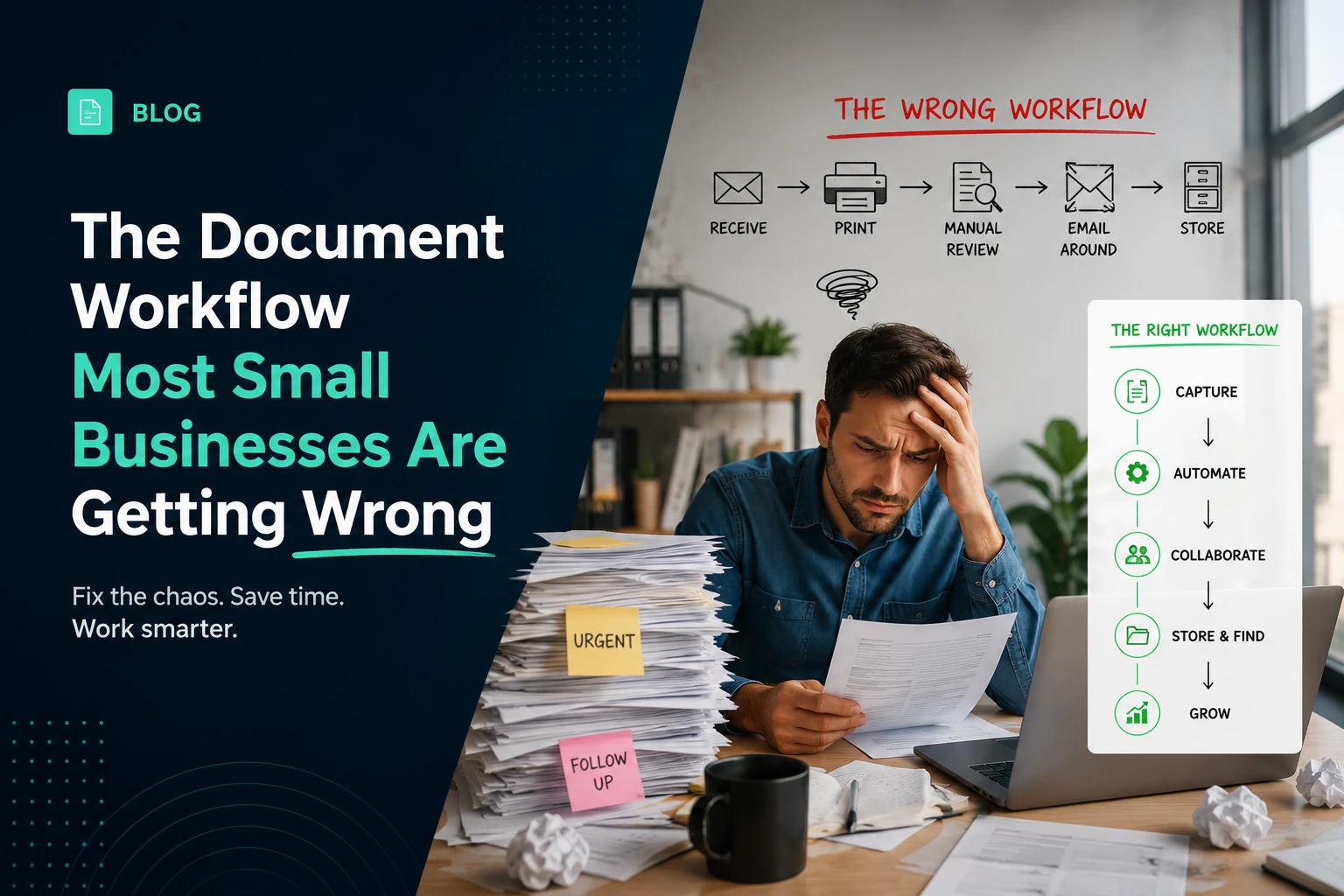
Most small businesses do not have a document problem — they have twenty small document problems that have accumulated into operational background noise. Individually, each takes 10–20 minutes to resolve. Collectively, they add up to significant time spent on friction that has nothing to do with the actual work.
The most common broken patterns
The pattern we see most often: businesses use Word or Google Docs for document creation, email for sending, and a mix of whatever-is-available for any PDF operations that need to happen. This creates a supply chain with no quality control.
A clean contract workflow
Create in a proper document editor. Keep the source file. Export to PDF only when the document is final. Send the PDF, not the source file. Collect signatures digitally. Store the final signed PDF with a clear, consistent naming convention.
“Store every document in two forms: the source file (editable, your working copy) and the PDF (the version you share with the world). Never merge these two purposes into one file.”
PDF as the final format
Client-side PDF processing — where the file is handled entirely within the browser, never transmitted to a server — eliminates the data exposure risk entirely. This is the reason we built Documateo this way.
A simple stack that works
The minimal document stack that covers 90% of small business needs: a word processor for creation, a PDF tool for output operations, an e-signature tool for contract execution, and a consistent file naming and storage convention that everyone follows.
Enjoyed this article?
Get new articles, product updates and insights from Muqira in your inbox.
Found this useful? Share it.